When
using a search engine (such as Google.com), you probably see a blurb of
text underneath your search results that helps you decide whether or
not that’s the site you want. For example: This is what appears when you
search for “Blogger.”

The descriptive line of text that appears under the link is the search description.
If you don't specify a search description for your blog, search engines will establish one for you based on your blog’s content.
To create your own search description, just go to Settings | Search Preferences and click Edit next to "Description" to reveal a text field. Select Yes, write in your text, and click Save changes.

A few examples of blog search descriptions:
- “A blog about social networking and web design.”
- “A journal of my year in Paris.”
- “Healthy southern-style cooking.”
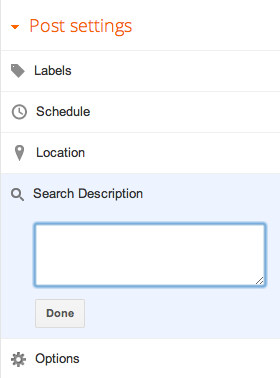
Enabling this feature will display a “Search Description” option in
the Post Settings panel that allows you to enter a search description
for individual posts.


No comments:
Post a Comment