Custom robots.txt is a way for you to instruct the search engine that
you don’t want it to crawl certain pages of your blog (“crawl” means
that crawlers, like Googlebot,
go through your content, and index it so that other people can find it
when they search for it). For example, let’s say there are parts of your
blog that have information you would rather not promote, either for
personal reasons or because it doesn’t represent the general theme of
your blog -- this is where you can clarify these restrictions.
However, keep in mind that other sites may have linked to the pages
that you’ve decided to restrict. Further, Google may index your page if
we discover it by following a link from someone else's site. To display
it in search results, Google will need to display a title of some kind
and because we won't have access to any of your page content, we will
rely on off-page content such as anchor text from other sites. (To truly
block a URL from being indexed, you can use meta tags.)
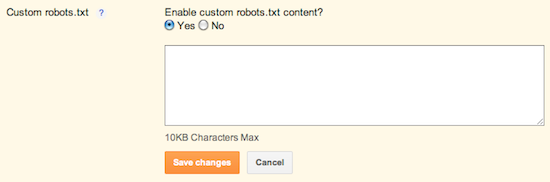
To exclude certain content from being searched, go to Settings | Search Preferences and click Edit next to "Custom robots.txt." Enter the content which you would like web robots to ignore. For example:
User-agent: *
Disallow: /about
Disallow: /about
You can also read about robot.txt on this post on the Google Webmaster’s blog.


No comments:
Post a Comment